My WiFi Is Fast on Speed Tests But Slow on Everything Else
By Ken Hollow, who was shown a speed test result as evidence in an argument he had not agreed to participate in “Ken. Three hundred…
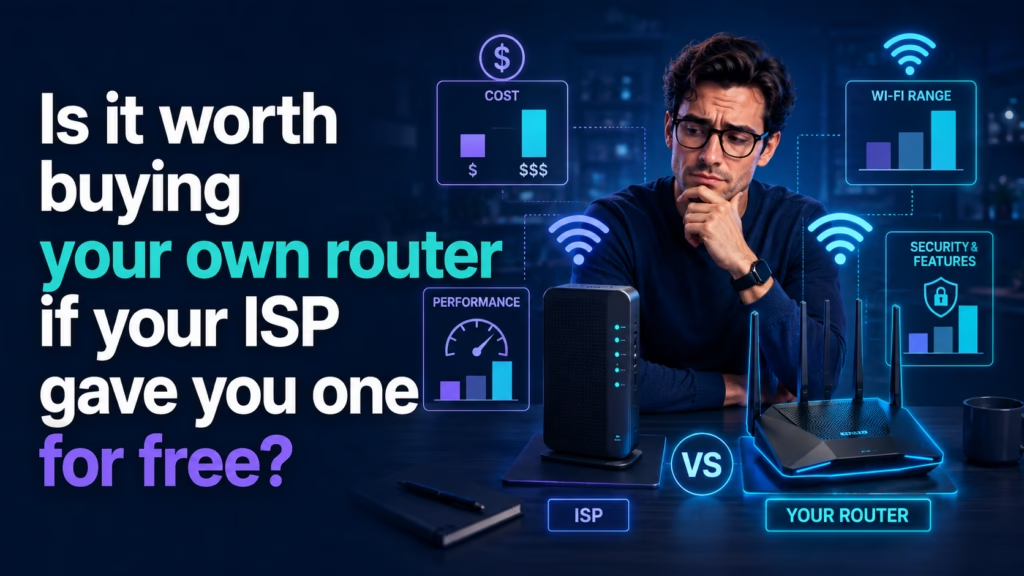
By Ken Hollow, who has been asked to justify a purchase to a fox spirit who does not pay for anything and yet has extremely firm opinions about value
“Ken. Should we buy a router?”
“We have a router.”
“We have a free router. There’s a difference. Free things are free for a reason.”
“Sometimes free things are just free.”
“Name one.”
Buying your own router is worth it in four specific situations: you’re paying a monthly rental fee, your home has coverage dead spots, you want features the ISP box doesn’t offer, or the ISP unit is genuinely old. If none of those apply — the free router covers your home fine and costs you nothing monthly — keep it. A new router does not make your internet faster than the speed you pay for, and that’s the expectation most people buy on and are then disappointed by.
Worth killing this expectation immediately, because it’s the most common reason people buy one and feel cheated.
A better router will not increase the speed your provider delivers. If you pay for 100 Mbps, a £300 router delivers 100 Mbps. The router distributes what arrives — it doesn’t manufacture more.
What a better router genuinely improves is distribution: how much of that speed reaches the far bedroom, how many devices can be busy simultaneously without interfering, and how stable the connection stays under load. Those are real improvements. They’re just not the same as “faster internet,” and the box in the shop is often designed to blur that distinction.
If your problem is that speeds are slow everywhere including right next to the router, that’s a provider or line issue and a new router won’t help.
The clearest case. Many providers charge a monthly equipment fee — often somewhere in the range of a few pounds or dollars a month, sometimes buried in the bill under a name like “equipment” or “gateway.”
The arithmetic is straightforward. A modest fee compounds: even a small monthly charge becomes meaningful over the two or three years you’ll keep the hardware, and a decent consumer router often pays for itself inside two years. After that it’s pure saving.
Check your actual bill rather than assuming. Some providers include equipment free, some charge, and some charge only for certain tiers. If the line item exists, this is likely worth doing on money alone.
One caveat: check whether your provider supports customer-owned equipment on your connection type before buying, and what happens to support if you do. Some will help you configure your own hardware; some will not, and that matters if you’re not comfortable troubleshooting alone.
ISP-supplied routers are built to a price and generally optimised for a small-to-average home with the router in a sensible position. If you have thick walls, multiple floors, an awkward layout, or the router is stuck wherever the cable enters the building, coverage suffers.
Before spending anything, exhaust the free fixes — position matters more than hardware, and our guides on boosting WiFi signal and why some rooms are slower cover them. Moving a router two metres and raising it off the floor sometimes solves what people were about to spend money on.
If you’ve done that and rooms are still poor, better hardware genuinely helps. Whether you want a single stronger router or a mesh system depends on your floor plan, which is a separate decision worth thinking through properly.
Rental units tend to be deliberately basic. Things people commonly want that they don’t offer:
Proper guest network controls, including isolating guests from your main devices — more on why in our guide to guest WiFi networks.
Useful parental controls with per-device schedules rather than a single blunt on/off.
Quality of Service settings that prioritise video calls over background downloads — genuinely valuable if you work from home.
Custom DNS at the router level, so every device benefits.
VPN support configured on the router itself.
If you’d actually use two or three of these, that’s a legitimate reason. If you’re honest and you’d use none of them, it isn’t.
“You’ve listed features and then told me I probably won’t use them.” — I’ve told you to be honest about whether you will. “That’s the same thing with extra guilt attached.” It’s called a purchasing decision, Nana.
If your router has been sitting there for five or six years, it may predate WiFi standards that matter for a house full of modern devices. Older units also stop receiving firmware updates, which is a security consideration rather than a performance one.
Worth trying first: ask your provider for a newer unit. Many will swap ageing equipment free, particularly if you mention coverage problems or that you’ve upgraded your plan. A free replacement beats a purchase, and providers would generally rather send a box than lose a customer.
If they refuse or the replacement is equally basic, buying your own becomes reasonable.
Genuinely fine to do nothing if all of these are true:
1. You’re not paying a rental fee.
2. Coverage is adequate everywhere you actually use devices. Not everywhere in the house — everywhere you sit.
3. The unit is reasonably recent and still getting updates.
4. You don’t want the advanced features and wouldn’t configure them.
In that situation a new router buys you nothing. The free box is doing its job, and the money is better spent on almost anything else — including, if speed is your actual complaint, a faster plan.
If your provider gave you a combined unit — a modem and router in one box, which is common — replacing it is slightly more involved than swapping a standalone router. You either replace the whole combined unit with a compatible one, or keep theirs and add your own router behind it, putting the ISP box into a pass-through mode.
The second approach is usually easier and avoids compatibility problems, at the cost of two boxes instead of one. If the distinction between the two devices isn’t clear, our guide on the difference between a modem and a router explains what each one does.
“So the answer is ‘check your bill first.'” — That’s most of it. “That’s disappointing. I wanted the answer to be ‘buy the expensive one.'” I know you did. “It has lights, Ken.” It having lights is not a specification.
Buy your own router if you’re paying a monthly rental fee (it typically pays for itself within about two years), if you have coverage dead spots after already trying repositioning, if you want features like proper guest isolation, QoS, or router-level DNS, or if the ISP unit is old enough to have stopped getting updates. Ask your provider for a free newer unit before buying — many will swap. Keep the free one if you pay no fee, coverage is fine where you actually sit, and you wouldn’t use the advanced features. Critically: a new router does not increase the speed your provider sends you. It improves how well that speed is distributed around your home.

Hi. I’m Ken. I run Two Second Solutions, a one-man agency that somehow landed a fox spirit influencer as a client. I drink too much coffee, blog when I need to vent, and regularly update my résumé just in case she sets the office on fire again. I’m not crying — it’s just spell residue.

By Ken Hollow, who was shown a speed test result as evidence in an argument he had not agreed to participate in “Ken. Three hundred…
By Ken Hollow, the man whose fox spirit client insists on unplugging the router every night because she believes WiFi signals “interfere with dream quality.”…
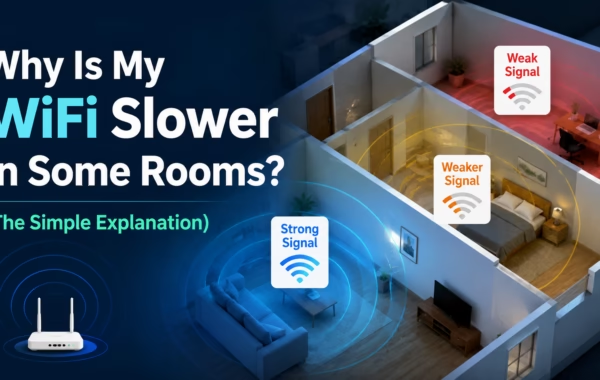
By Ken Hollow, the man whose fox spirit roommate has declared the upstairs hallway “the dead zone” and refuses to take calls there on principle…