My WiFi Is Fast on Speed Tests But Slow on Everything Else
By Ken Hollow, who was shown a speed test result as evidence in an argument he had not agreed to participate in “Ken. Three hundred…
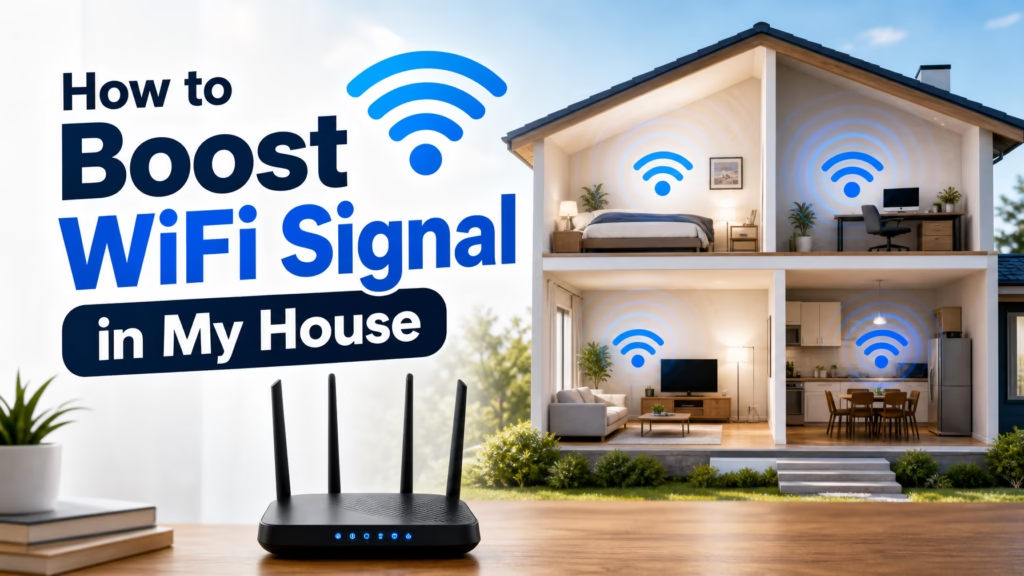
By Ken Hollow, unofficial cartographer of every WiFi dead zone in a fox spirit’s unnecessarily large lair
I mapped it. I literally drew a map.
The office? Full bars. The kitchen? Decent. The hallway? Starts to wobble. Nana’s streaming room (formerly the guest bedroom, now “The Velvet Studio”)? Two bars on a good day, zero on a bad one. The bathroom? Dead. Completely dead.
“Ken, why does the WiFi abandon me the moment I leave the office?”
“Because WiFi signals weaken over distance, Nana. Especially through walls.”
“Then make it stronger.”
So I did. And you can too — starting with fixes that cost nothing and working up to the hardware upgrades that solve the problem permanently.
WiFi signal weakens with distance, walls, and interference. Start with the free fixes: reposition your router to a central, elevated, open location. Update its firmware. Switch devices to the right WiFi band. If that’s not enough, a mesh WiFi system ($150-300) is the best permanent solution for whole-home coverage. Range extenders ($25-60) are cheaper but less effective. Wired connections (ethernet or powerline adapters) bypass WiFi entirely for stationary devices.
Router placement is the most overlooked and most impactful factor in WiFi coverage. Most people put their router wherever the internet cable comes into the house — usually a corner, a closet, or behind a piece of furniture. All of these are terrible for WiFi.
WiFi signals radiate outward from the router in all directions. If the router is in a corner, half the signal goes outside the house. If it’s on the floor, the signal radiates into the ground. If it’s inside a cabinet, the signal fights through wood before it even reaches your room.
The ideal position: Central location in the house, elevated (on a shelf or mounted on a wall), in the open (not inside furniture or behind a TV), away from metal objects and mirrors. If your house is two stories, placing it on the ceiling of the first floor or the floor of the second floor covers both levels better than putting it at ground level.
If the internet cable comes in at the edge of the house, a longer ethernet cable to move the router to a more central position costs under $15 and often makes a dramatic difference.
“Ken moved the router from behind the filing cabinet to the top of the bookshelf. The WiFi in my streaming room went from two bars to four. I’m not saying Ken performed a miracle, but I’m not NOT saying it.”
Router manufacturers release firmware updates that improve performance, fix bugs, and sometimes significantly improve WiFi range and stability. Most people never update their router’s firmware because they don’t know it’s an option.
How to do it: Log into your router’s admin page (usually by typing 192.168.0.1 or 192.168.1.1 into your browser — the address is often printed on the router itself). Look for a “Firmware Update” or “Software Update” option. If there’s an update available, install it.
If you’re using an ISP-provided router, they sometimes push updates automatically. But if you bought your own router, manual checks are usually required.
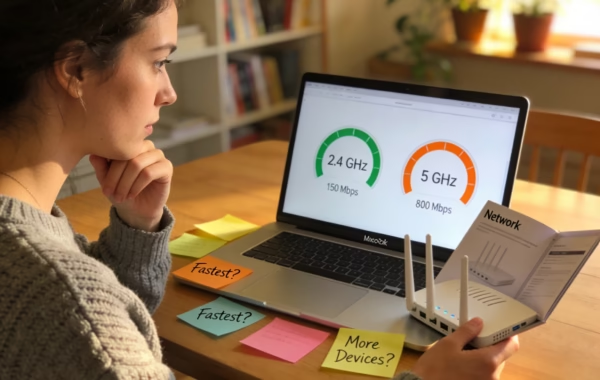
If your router broadcasts both 2.4 GHz and 5 GHz, make sure your devices are on the right band for their location.
Close to the router: Use 5 GHz. It’s faster and less congested.
Far from the router or through walls: Use 2.4 GHz. It has a longer range and penetrates obstacles better.
If your streaming is buffering on a TV in a distant room, switching it from 5 GHz to 2.4 GHz might solve it instantly — you trade some speed for a much more reliable connection at range.
In apartment buildings and dense neighborhoods, dozens of routers compete on the same WiFi channels. This interference slows everyone down. Switching to a less congested channel can noticeably improve performance.
For 2.4 GHz: Channels 1, 6, and 11 are the only non-overlapping options. Use a WiFi analyzer app (free on Android — “WiFi Analyzer”) to see which channel your neighbors are on, then pick the least crowded one.
For 5 GHz: There are many more channels available, and most routers handle this automatically. Manual selection is rarely needed.
Change the channel in your router’s admin page under Wireless Settings.
If your home is larger than about 1,500 square feet, has multiple floors, or has thick walls, a single router simply can’t cover everything well. This is where mesh WiFi systems shine.
A mesh system consists of a main router plus one or more satellite units placed throughout your house. They work together as one seamless network — your devices automatically connect to whichever unit has the strongest signal as you move around, with no manual switching needed.
Unlike range extenders (see below), mesh systems don’t create a separate network or halve your speed. They’re designed to provide consistent, fast WiFi coverage everywhere.
Popular options include TP-Link Deco, Google Nest WiFi, NETGEAR Orbi, and Amazon eero. A two-pack covers most homes; larger spaces might need three units.
“Ken installed a mesh system with a satellite in the hallway outside my streaming room. I now have full-speed WiFi in every room including the bathroom. He asked why I need WiFi in the bathroom. I told him it’s classified.”
If a mesh system is outside your budget, a range extender is the cheaper alternative. It receives your router’s signal and rebroadcasts it, extending the coverage area.
The catch: Range extenders typically halve your bandwidth because they use the same radio to receive and retransmit. They also often create a separate network (like “HomeWiFi_EXT”), so your devices don’t seamlessly switch between the router and the extender.
Best placement: Halfway between your router and the dead zone — not in the dead zone itself. The extender needs a decent signal to amplify. If you put it where signal is already weak, it just amplifies a weak signal.
Range extenders work best for adding coverage to one specific area (a single room, a backyard). For whole-home coverage, a mesh system is significantly better.
For stationary devices like smart TVs, gaming consoles, and desktop computers, a wired ethernet connection is always faster and more reliable than WiFi. Running an ethernet cable from your router to these devices frees up wireless bandwidth for your phones and laptops.
If running cables across the house isn’t practical, powerline adapters are a clever alternative. They use your home’s existing electrical wiring to carry network data. Plug one adapter near your router (connected via ethernet), plug another in any room where you need internet, and connect your device. It’s not as fast as direct ethernet, but it’s more stable than WiFi over long distances.
For casting to your TV or gaming, a wired connection also eliminates the lag that wireless can introduce.
| Your Situation | Best Solution | Cost |
|---|---|---|
| WiFi is slow everywhere | Reposition router + update firmware + check band/channel | Free |
| One specific room has no signal | Range extender placed between router and dead zone | $25–60 |
| Multiple rooms or floors have weak signal | Mesh WiFi system (2-3 units) | $150–300 |
| TV or console in a distant room needs reliable internet | Powerline adapter or long ethernet cable | $30–50 |
| Router is over 5 years old | Replace with a WiFi 6 router (or mesh system) | $80–200 |
Start free: move your router to a central, elevated, open location — this alone often fixes the problem. Update the firmware. Make sure devices are on the right WiFi band (5 GHz for speed near the router, 2.4 GHz for range). Change the WiFi channel if you’re in a crowded building. If free fixes aren’t enough, a mesh WiFi system ($150-300) is the best permanent solution for consistent whole-home coverage. Range extenders ($25-60) are cheaper but less effective. For stationary devices like TVs and consoles, a wired connection (ethernet or powerline adapter) is always the most reliable option.
“My WiFi now reaches the garden. The GARDEN, Ken. I can livestream from the velvet hammock. This is the peak of civilisation and I will hear no arguments.”

Hi. I’m Ken. I run Two Second Solutions, a one-man agency that somehow landed a fox spirit influencer as a client. I drink too much coffee, blog when I need to vent, and regularly update my résumé just in case she sets the office on fire again. I’m not crying — it’s just spell residue.

By Ken Hollow, who was shown a speed test result as evidence in an argument he had not agreed to participate in “Ken. Three hundred…
By Ken Hollow, the man who gave his WiFi password to a visiting relative in 2022 and discovered three months later that they had shared…
By Ken Hollow, the man who had to explain radio frequencies to someone who thinks GHz stands for “Gigantic Hertz of Sorcery” Nana was furious.…