What Is End-to-End Encryption? (And Which Apps Actually Use It)
By Ken Hollow, the man who had to explain to a fox spirit that “encrypted” does not mean the message is written in a secret…
By Ken Hollow, who explained the phrase “digital rights management” to a fox spirit and watched her become genuinely angry on behalf of a television
“Ken. Why does the laptop version look worse?”
“Because it’s a laptop.”
“It’s a better laptop than the television is a television.”
“Doesn’t matter. The TV is trusted and the browser isn’t.”
“Trusted by whom, Ken.”
If you’re paying for 4K and watching in 720p, your internet speed is usually not the reason. Streaming services enforce copy protection, and they only unlock high resolutions on setups they consider secure. Web browsers are the biggest offender — Netflix, among others, restricts quality significantly in most browsers regardless of your plan or hardware. The apps on a TV, streaming stick, or console generally get full quality. If picture quality matters, stop watching in a browser.
Studios license content to streaming services with conditions attached, and one is that high-resolution copies must be protected against being captured. Services meet that obligation with DRM — digital rights management — which sets a required security level for high-quality playback.
Some environments can prove they meet it. A smart TV app or streaming stick handles decoding in dedicated hardware where the video stream can’t easily be intercepted. Some can’t. A web browser on a general-purpose computer is a much more open environment, and DRM systems treat it accordingly.
When the platform can’t reach the required security level, the service doesn’t refuse to play — it quietly serves you a lower resolution. No error message, no explanation. Just a softer picture you may not consciously notice while still paying for the premium tier.
That silence is the genuinely annoying part. You’re not doing anything wrong and nothing tells you what’s happening.
The single biggest cause, and the one people are least aware of.
Netflix documents its playback requirements in its supported browsers help page, and the practical upshot is that maximum resolution varies significantly by browser and operating system. Chrome and Firefox on Windows are commonly limited to 720p. Microsoft Edge and the Windows Netflix app support higher resolutions on compatible hardware. Safari on recent Macs supports higher resolutions than Chrome does on the same machine.
The pattern generalises beyond Netflix: browser playback is where services are most conservative, and the browser that gets full quality tends to be the one native to the operating system, because it can integrate with hardware-level protection the others can’t.
Because this varies by service, browser, and OS — and changes over time — the reliable move is to check the service’s own help page rather than trusting a list. What’s consistent is the shape of it: browsers get the worst quality, native apps get the best.
Your plan tier. Obvious but frequently the answer. Most services reserve 4K for their most expensive tier, and standard tiers may cap at 1080p or lower. Check what you’re actually paying for before troubleshooting anything technical.
The HDMI chain. High resolutions require HDCP copy protection across every link between source and screen. An old HDMI cable, an ageing AV receiver, a soundbar in the middle, or an HDMI switch can break the chain. The classic symptom is that a device plugged directly into the TV looks fine, and the same device routed through a receiver doesn’t.
An external monitor. Same principle. A laptop that plays high quality on its built-in display can drop when you connect a monitor that doesn’t support the required protection.
Genuine bandwidth limits. Sometimes it really is the connection — 4K typically needs a sustained 15–25 Mbps. But this looks different: it starts at good quality and steps down, or fluctuates. DRM-based limits are consistent from the first second. If quality varies during playback, see why your streaming keeps buffering and our piece on good speed tests with poor real-world performance.
Casting from a phone. Depending on the service and method, casting can behave differently from playing natively on the TV. Our guide on casting your phone to a TV covers the differences.
“So the television is trusted, and the computer is a suspect.” — Broadly. “The computer has done nothing.” The computer is capable of doing something, which is enough. “That’s a terrible principle, Ken.” I didn’t invent it. I’m just explaining it.
Two minutes, and it separates DRM limits from bandwidth limits cleanly.
Is it consistent or variable? Consistently soft from the first frame points at DRM or plan tier. Starting sharp and degrading, or fluctuating, points at bandwidth.
Does it differ by device? Play the same title on your TV app and in a laptop browser. If the TV is noticeably better on the same network, it’s a platform restriction, not your internet.
Try a different browser. If Edge or Safari looks better than Chrome, that’s your answer outright.
Check what your plan includes. Genuinely the first thing to verify.
Bypass the middle hardware. Plug the streaming device straight into the TV, skipping the receiver, soundbar, or switch. If it improves, you’ve found a broken HDCP chain.
Use the app, not the browser. The single most effective change. The app on your TV, streaming stick, console, or phone will generally get the best quality available on your plan. If you’re watching on a computer, the native OS app or native browser beats a third-party browser.
Check your subscription tier. If you want 4K, confirm you’re paying for it. Some households discover they downgraded during a promotion and never changed back.
Simplify the HDMI path. Direct to the TV where possible. If you need a receiver in the chain, make sure it supports the standards your content requires.
Set quality to Auto or High in the app. Several services have a data-saver setting that caps quality, sometimes enabled by default on mobile or after a connection problem.
Accept the browser limitation. There’s no legitimate way around DRM restrictions in a browser, and tools claiming otherwise are generally best avoided. If quality matters, watch somewhere else.
“So the answer is ‘use the app.'” — For most people, yes. “I have been blaming the internet for a year.” Most people do. It’s the obvious suspect and it’s usually innocent. “The internet is going to be insufferable about this.”
Low streaming quality is usually copy protection, not bandwidth. Services only unlock high resolutions on platforms they consider secure, and web browsers are the least trusted — Netflix and others restrict browser playback significantly, with Chrome and Firefox on Windows commonly capped at 720p while native apps and the OS-native browser get full quality. Check the service’s own requirements page, since specifics vary and change. Other silent downgrades: your plan tier, a broken HDCP chain through an old receiver or cable, and external monitors. Tell them apart by whether quality is consistent (DRM) or fluctuating (bandwidth), and by comparing your TV app against a browser. The fix is almost always to use the app instead of a browser.

Hi. I’m Ken. I run Two Second Solutions, a one-man agency that somehow landed a fox spirit influencer as a client. I drink too much coffee, blog when I need to vent, and regularly update my résumé just in case she sets the office on fire again. I’m not crying — it’s just spell residue.
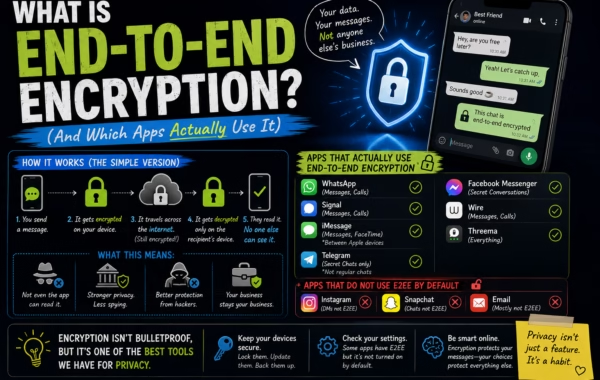
By Ken Hollow, the man who had to explain to a fox spirit that “encrypted” does not mean the message is written in a secret…
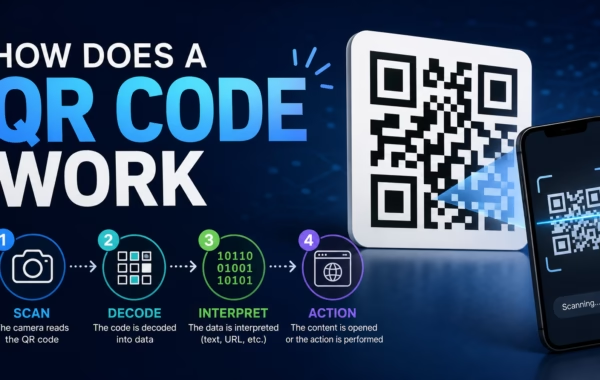
By Ken Hollow, the man who had to explain to a fox spirit that the pixelated square on the menu is not “a digital rune”…
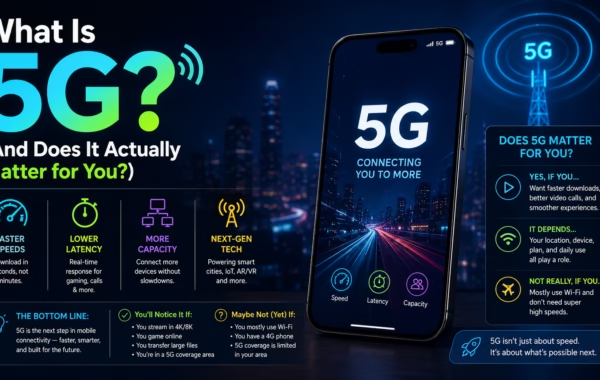
By Ken Hollow, the man who had to clarify to a fox spirit that 5G is a cellular network standard and not, as she suspected,…