Which Streaming Service Actually Drops You to 720p, and When?
By Ken Hollow, who explained the phrase “digital rights management” to a fox spirit and watched her become genuinely angry on behalf of a television…
By Ken Hollow, the man whose earbuds keep pairing with a fox spirit’s phone from across the room
“Ken. Your earbuds are playing MY music.”
“They’re paired to your phone, Nana. Again.”
“Well, tell them to stop. They’re mine now.”
This happens at least once a week. My earbuds connect to the wrong device, Nana’s speaker pairs to my phone during a work call, and we both spend three minutes trying to figure out whose Bluetooth is connected to what. It’s a perfectly reliable technology that creates perfectly avoidable chaos whenever two devices are in the same room.
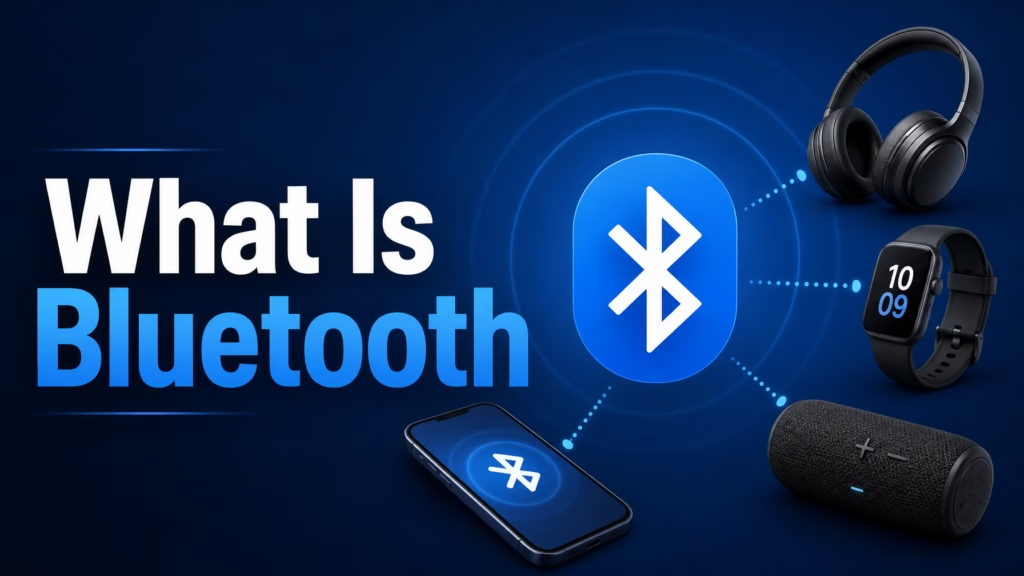
Bluetooth is one of those things everyone uses daily but few people actually understand. Here’s how it works, why your devices sometimes connect to the wrong thing, and when to use Bluetooth versus WiFi.
Bluetooth is a short-range wireless technology that lets devices communicate directly with each other — no WiFi or internet needed. It works by transmitting data over radio waves on the 2.4 GHz frequency. Common uses include wireless earbuds, speakers, keyboards, mice, smartwatches, car audio, and file transfers. Its range is typically 10-30 feet (3-10 meters), and it uses very little battery power.
Bluetooth uses radio waves — the same basic technology as WiFi and FM radio, but operating at very low power over very short distances. It transmits on the 2.4 GHz frequency band (the same band as WiFi and microwaves), but it hops between 79 different channels within that band up to 1,600 times per second. This “frequency hopping” helps avoid interference from other devices.
When two Bluetooth devices connect, they go through a process called pairing. One device discovers the other, they exchange security keys, and they establish a persistent connection that both devices remember for next time. After the initial pairing, the devices will automatically reconnect when they’re in range — which is convenient when it works and mildly infuriating when they connect to the wrong device.
The key distinction from WiFi: Bluetooth is device-to-device. Your earbuds connect directly to your phone. No router, no internet, no network required. WiFi connects devices to a network (and usually the internet). They solve different problems.
“So Bluetooth is like a private conversation between two devices, and WiFi is like a group chat with the whole internet? That actually makes sense.” — It does. I’m alarmed by how good your analogies are getting.
| Feature | Bluetooth | WiFi |
|---|---|---|
| Range | 10-30 feet (some devices up to 100 ft) | 100-300+ feet |
| Speed | 1-3 Mbps (enough for audio, not great for large files) | 100-1,000+ Mbps |
| Power usage | Very low — designed for battery-powered devices | Higher — more power-hungry |
| Needs a router/network? | No — direct device-to-device | Yes — needs a router or access point |
| Best for | Audio (earbuds, speakers), input devices (keyboard, mouse), wearables, car audio, short file transfers | Internet access, streaming, large file transfers, connecting multiple devices to a network |
Use Bluetooth for: earbuds, speakers, keyboards, mice, smartwatches, fitness trackers, car hands-free systems, game controllers, and sending a quick file to someone nearby.
Use WiFi for: internet access, streaming video, downloading files, cloud storage, and anything that needs speed or range.
Bluetooth connection drops are the most common frustration. Here’s what causes them:
Distance. Bluetooth works best within 10-30 feet with a clear line of sight. Walking to the next room (through a wall) can weaken the signal enough to cause drops.
Interference. Since Bluetooth uses the 2.4 GHz band, it competes with WiFi routers, microwaves, and other Bluetooth devices nearby. In crowded environments (offices, trains, airports), interference is worse.
Multiple paired devices. If your earbuds are paired with both your phone and laptop, they might jump between them or get confused about which device to connect to. Most Bluetooth audio devices can only be actively connected to one source at a time.
Low battery. When a Bluetooth device’s battery is low, the Bluetooth radio may weaken before the device actually shuts off, causing intermittent drops.
The fix: Stay within range, keep your phone in the same room as the audio device, unpair from devices you’re not using, and keep Bluetooth devices charged. If drops are frequent, turning Bluetooth off and on again (on your phone) forces a fresh connection.
Bluetooth has a much smaller attack surface than WiFi because of its short range — an attacker would need to be physically nearby, typically within 30 feet. That said, there are some real (if uncommon) risks:
Bluejacking: Sending unsolicited messages or files to your device via Bluetooth. More annoying than dangerous.
Bluesnarfing: Accessing data on your phone through a Bluetooth vulnerability. This requires exploiting specific security flaws and is rare on modern devices with current software.
The practical advice: Keep your phone’s Bluetooth set to “not discoverable” (the default on most modern phones) when you’re not actively pairing a new device. This means other devices can’t see yours unless you’re in the pairing screen. Update your phone’s software regularly — Bluetooth security patches are included in OS updates. And if you’re not using Bluetooth at all, turning it off saves a tiny bit of battery.
“I now unpair devices I’m not using. Ken’s earbuds no longer spontaneously play my K-drama soundtrack during his work calls. He’s relieved. I’m slightly disappointed.”
You might see “Bluetooth 5.0,” “Bluetooth 5.3,” or “Bluetooth LE” in product specs. Here’s the quick version: newer is better, but the differences between recent versions are small for everyday use. The biggest practical improvement in recent versions is battery efficiency and range. Bluetooth 5.0+ devices use less power and can work at slightly longer distances than older versions. Bluetooth LE (Low Energy) is a variant designed specifically for devices like fitness trackers and smartwatches that need to run for days or weeks on tiny batteries.
Both devices in a connection use the highest version they both support. So if your phone has Bluetooth 5.3 but your earbuds have 5.0, they’ll connect using 5.0 features. You don’t need to worry about version matching — they’re all backward compatible.
Bluetooth is a short-range wireless technology for direct device-to-device communication — no internet required. It uses radio waves on the 2.4 GHz band, works within about 10-30 feet, and uses very little power. Use it for earbuds, speakers, keyboards, mice, and wearables. Use WiFi for internet access and anything needing speed or range. Connection drops happen because of distance, interference, or multiple paired devices — stay in range and unpair unused devices. Security risk is low because of the short range, but keep your phone’s software updated. Leave Bluetooth on “not discoverable” when you’re not pairing new devices.

Hi. I’m Ken. I run Two Second Solutions, a one-man agency that somehow landed a fox spirit influencer as a client. I drink too much coffee, blog when I need to vent, and regularly update my résumé just in case she sets the office on fire again. I’m not crying — it’s just spell residue.
By Ken Hollow, who explained the phrase “digital rights management” to a fox spirit and watched her become genuinely angry on behalf of a television…
By Ken Hollow, the man who had to explain to a fox spirit that the pixelated square on the menu is not “a digital rune”…
By Ken Hollow, who was asked why the free one and the paid one aren’t the same thing if they have the same picture of…