What Is 5G? (And Does It Actually Matter for You?)
By Ken Hollow, the man who had to clarify to a fox spirit that 5G is a cellular network standard and not, as she suspected,…
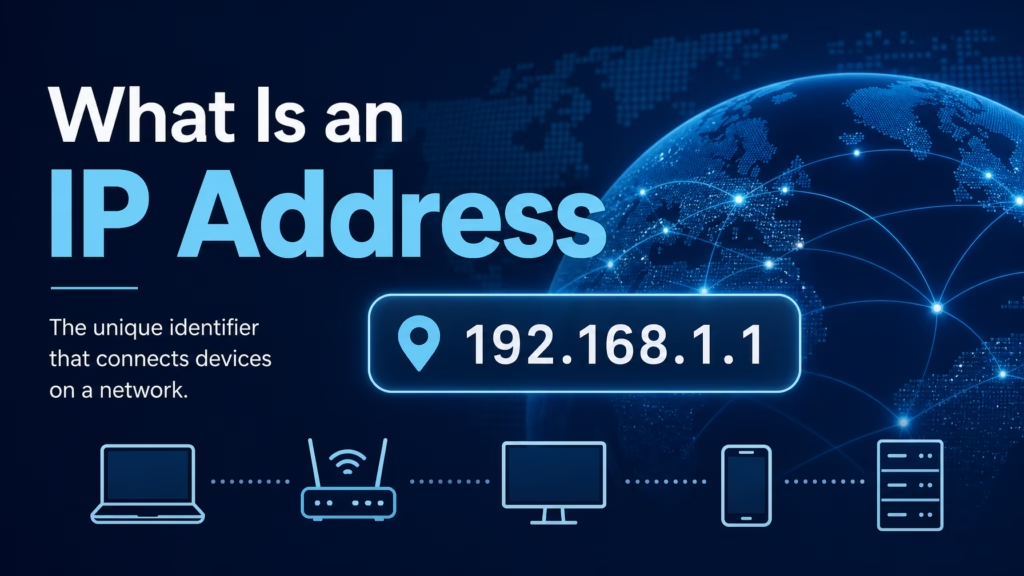
By Ken Hollow, the man who tried to explain IP addresses to a fox spirit and accidentally triggered an existential crisis about digital identity
“Ken. Someone online said they can ‘see my IP address.’ Should I be concerned?”
“Not especially.”
“What even IS an IP address?”
“It’s like your device’s mailing address on the internet.”
“…People can see where I LIVE?”
“Not exactly. More like your general area.”
“HOW GENERAL?”
This conversation lasted forty minutes. Nana went through three distinct phases: confusion, alarm, and what she called “strategic acceptance.” By the end, she understood IP addresses, and also decided she needed a VPN. Which is honestly the correct conclusion.
Here’s what an IP address actually is, what it reveals, and what it doesn’t.
An IP address is a unique number assigned to every device connected to the internet — it’s how devices find and communicate with each other. It reveals your approximate location (city-level, not street-level), your internet service provider, and that you exist on the network. It does NOT reveal your name, exact address, browsing history, or personal details. Websites you visit see your IP address automatically. A VPN hides it by replacing it with the VPN server’s address.
Every device connected to the internet needs an address so that data knows where to go. When you open a website, your device sends a request to the website’s server, and the server sends the page back to you. For that exchange to work, both sides need to know where the other one is — and that’s what IP addresses do.
IP stands for “Internet Protocol.” The address is just a number. The format most people are familiar with looks like this: 192.168.1.1 — four numbers separated by dots. This is called IPv4 (Internet Protocol version 4), and it’s been used since the internet began.
Think of it like a phone number for your internet connection. Every phone needs a number so calls can reach it. Every internet connection needs an IP address so data can reach it.
“So my IP address is my internet phone number? And every website I visit can see it because I’m basically calling them?” — Yes. Every website you visit sees your IP address. It’s how they know where to send the page.
This is the part that worries people — and where the reality is both less scary and more concerning than most expect.
What your IP address DOES reveal:
Your approximate location. An IP address can typically be traced to a city or region — not a street address. Someone looking up your IP might see “Varna, Bulgaria” but not “123 Main Street, Apartment 4B.” The accuracy is usually city-level, sometimes off by 50-100 miles.
Your internet service provider (ISP). Your IP reveals which company provides your internet — Comcast, Vivacom, BT, etc. This is because ISPs own blocks of IP addresses and assign them to their customers.
That a connection was made. Websites log the IP addresses of visitors. This means a website knows that someone at your IP address visited at a certain time — but not who you are personally (unless you log in).
What your IP address does NOT reveal:
Your name or identity. An IP address is assigned to your internet connection, not to you personally. It doesn’t contain your name, email, phone number, or any personal details.
Your exact address. Despite what movies show, an IP address doesn’t pinpoint your house on a map. It identifies your general area.
Your browsing history. Your IP tells a website that you visited, but the full browsing history isn’t attached to it. Each website only sees that you visited them, not every other site you’ve been to.
However: Law enforcement can request your identity from your ISP using your IP address and a court order. Your ISP knows which customer was assigned which IP address at any given time. This is how IP addresses are used in criminal investigations — but it requires legal authority, not just technical ability.
You actually have two IP addresses — one public and one private.
Your public IP address is the one the rest of the internet sees. It’s assigned by your ISP and is shared by every device in your home that connects through your router. When you visit a website, this is the IP address the website logs.
Your private IP address is assigned by your router to each device in your home — your phone might be 192.168.1.5, your laptop 192.168.1.6, the smart TV 192.168.1.7. These addresses only exist within your home network and are invisible to the outside internet.
This is why your public IP doesn’t identify which specific device in your household is doing what — all your devices share the same public IP. The router handles the translation between your internal (private) addresses and your external (public) address.
Most home internet connections use dynamic IP addresses — your ISP assigns you an IP that can change periodically (every few days, weeks, or months). This means the IP address someone logged yesterday might not point to you tomorrow.
Static IP addresses don’t change. They’re used mainly by businesses that run servers and need a consistent address. Most home users have dynamic IPs, which actually adds a small layer of privacy since your address changes over time.
Your public IP: Simply Google “what is my IP address” — it’ll show you right in the search results.
Your private IP on Windows: Open Command Prompt → type ipconfig → look for “IPv4 Address” under your active connection.
Your private IP on Mac: System Settings → Network → select your connection → the IP address is listed there.
Your private IP on iPhone: Settings → WiFi → tap the “i” next to your connected network → IP Address is listed.
If you want websites and services to not see your real IP address — whether for privacy, security, or accessing geo-restricted content — a VPN is the standard solution.
A VPN routes your traffic through a server in another location, replacing your real IP with the VPN server’s IP. The website sees the VPN’s address, not yours. This hides your location, your ISP, and your connection from the sites you visit.
As we covered in our guide on what incognito mode hides, private browsing does NOT hide your IP address — it only prevents your browser from saving history locally. Your IP is still fully visible to every website you visit in incognito mode.
“So every website I visit sees my ‘internet phone number,’ which tells them roughly where I am and who my ISP is. And a VPN gives me a fake phone number from another country. I’m basically a digital spy now.” — You’re browsing Instagram from a Portuguese IP address, Nana. That’s not espionage.
An IP address is a number assigned to your internet connection that lets devices find and communicate with each other. Every website you visit sees your IP address automatically. It reveals your approximate location (city-level), your ISP, and that a connection was made — but NOT your name, exact address, or browsing history. Your public IP is shared by all devices in your home; each device also has a private IP visible only within your network. Most home IPs are dynamic (they change periodically). To hide your IP from websites, use a VPN. Incognito mode does not hide your IP.

Hi. I’m Ken. I run Two Second Solutions, a one-man agency that somehow landed a fox spirit influencer as a client. I drink too much coffee, blog when I need to vent, and regularly update my résumé just in case she sets the office on fire again. I’m not crying — it’s just spell residue.
By Ken Hollow, the man who had to clarify to a fox spirit that 5G is a cellular network standard and not, as she suspected,…
By Ken Hollow, the man who had to explain to a fox spirit that the “accept all cookies” button is not an invitation to baked…
By Ken Hollow, the man whose earbuds keep pairing with a fox spirit’s phone from across the room “Ken. Your earbuds are playing MY music.”…