Is It Actually Dangerous to Charge Your Phone at an Airport?
By Ken Hollow, who watched a fox spirit refuse to charge her phone in an airport for four hours and then complain the entire flight…
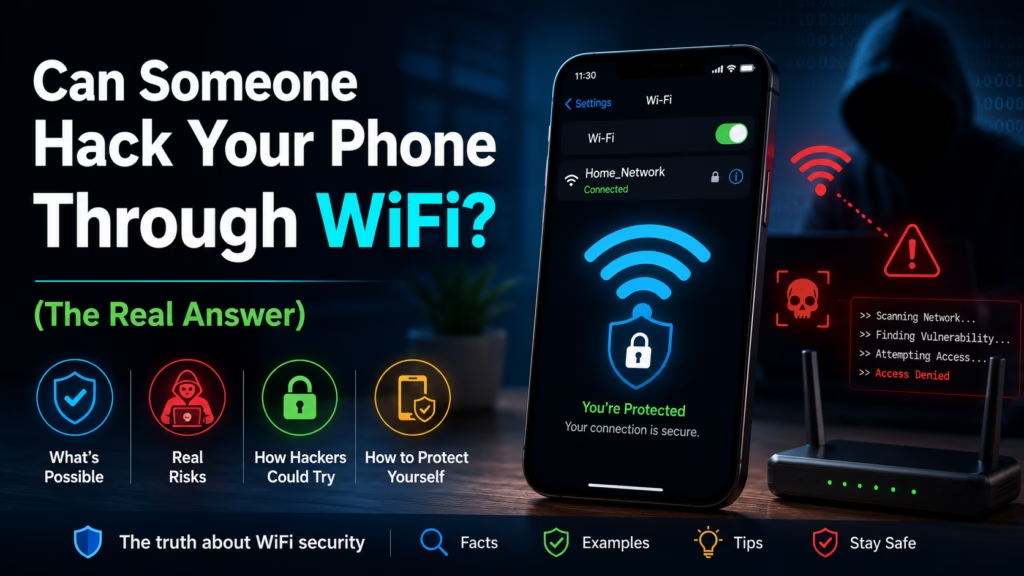
By Ken Hollow, the man whose fox spirit refused to use the cafe WiFi for three weeks after reading one headline about “WiFi hackers”
“Ken. I read that hackers can steal everything on your phone just by being on the same WiFi.”
“That’s an oversimplification.”
“So it’s not true?”
“It’s not entirely false either.”
“That’s the least reassuring thing you’ve ever said to me.”
The truth about public WiFi security sits in an uncomfortable middle ground — real risks exist, but they’re significantly more nuanced than most headlines suggest, and most of what people worry about is either overstated or easily mitigated. Here’s what can actually happen, and what to do about it.
Using public WiFi carries real but manageable risks. The biggest threats are fake hotspots (networks pretending to be the cafe’s WiFi) and unencrypted connections. However, the vast majority of websites and apps use HTTPS encryption, which protects your data even on public networks. The practical risk for everyday browsing is lower than headlines suggest — but logging into sensitive accounts (banking, email) on public WiFi without a VPN is genuinely unwise.
When you connect to a public WiFi network, you’re sharing that network with everyone else on it. Depending on the network’s security, others on the network could potentially intercept data being transmitted. Here’s what that looks like in practice:
Traffic interception (Man-in-the-Middle attacks): If data isn’t encrypted, someone on the same network with the right tools could capture it — seeing what you’re sending and receiving. This sounds alarming, but the critical word is “encrypted.” The vast majority of web traffic today is encrypted with HTTPS, which means even if someone captures it, they see scrambled data, not your passwords or messages.
Evil Twin attacks (fake hotspots): This is the more realistic threat. An attacker sets up a WiFi network named “Starbucks WiFi” or “Airport Free WiFi” — identical to the real one. You connect thinking it’s legitimate. The attacker controls the network and can see all unencrypted traffic passing through it, and can potentially redirect you to fake login pages. This doesn’t require any hacking skill, just a laptop and free software.
Network snooping on unencrypted sites: HTTP websites (not HTTPS) transmit data in plain text. Anyone on the network can read it. However, Chrome and most modern browsers now warn you prominently about non-HTTPS sites, and most major websites have moved to HTTPS.
“So the real danger isn’t someone breaking into my phone — it’s connecting to a fake network that’s pretending to be the cafe?” — Exactly. The fake hotspot is the practical threat most people should think about, not someone technically hacking your device. “I’ve been worried about the wrong thing.” Most people are.
HTTPS encrypts the data between your device and the website. Even on a compromised network, someone intercepting your traffic to your bank’s HTTPS website sees only scrambled ciphertext — not your password or account numbers.
What HTTPS protects: The content of your communications — passwords, form submissions, messages, the actual pages you’re viewing.
What HTTPS does NOT protect: The fact that you’re visiting a website (the domain name is visible even over HTTPS), your IP address, and any unencrypted apps or services running in the background.
The padlock icon in your browser’s address bar means HTTPS is active. If you’re on a public network and the padlock is there, your data to that site is encrypted end-to-end. A fake hotspot cannot break HTTPS encryption — it can only see that you connected to that website, not what you did there.
Given that most traffic is HTTPS-encrypted, the practical risks on public WiFi are:
1. Accidentally connecting to a fake hotspot. Always verify the network name with a staff member before connecting. “Starbucks WiFi” and “Starbuck5 WiFi” look identical at a glance.
2. Apps that don’t use HTTPS. Most do, but some older or poorly built apps transmit data without encryption. If you’re using a niche app on public WiFi, its connection might not be secured the way a major website is.
3. Logging into sensitive accounts. Even with HTTPS protecting the content, logging into your bank or email on a network controlled by an unknown party carries more risk than doing so on your home network. Phishing redirects and session hijacking become more feasible when an attacker controls the network.
4. Not using a VPN. A VPN encrypts all your traffic, not just HTTPS connections, and routes it through a secure server — effectively making the public WiFi network irrelevant to your security. For anyone who regularly uses public WiFi for work or sensitive tasks, a VPN is the standard solution.
In order of importance:
1. Verify the network name before connecting — ask staff what the official network is called.
2. Use HTTPS sites only — check for the padlock. Avoid any site showing “Not Secure.”
3. Don’t log into your bank or sensitive accounts on public WiFi without a VPN. Use mobile data for those if needed.
4. Use a VPN if you regularly use public WiFi — it encrypts everything and eliminates most of the risk.
5. Keep your phone’s software updated — security patches close the vulnerabilities that make device-level attacks possible.
6. Enable two-factor authentication on important accounts — even if someone gets your password, 2FA means they still can’t log in.
“So the answer is: public WiFi is mostly fine for general browsing, don’t do your banking on it without a VPN, and make sure the network name is real before connecting.” — That’s an accurate and useful summary. “I’m going back to the cafe.” Good. The coffee there is good. “I know. I’ve been getting it delivered this whole time.”
Yes, public WiFi carries real risks — but the threat is more nuanced than “someone will hack your phone.” The main practical risks are fake hotspots (networks impersonating legitimate ones) and unencrypted apps. Most web browsing is protected by HTTPS encryption, which scrambles your data even on compromised networks. Genuine risks: accidentally joining a fake hotspot, using apps without HTTPS, and logging into sensitive accounts (banking, email) without a VPN. Fix: always verify the network name, look for the HTTPS padlock, use a VPN for sensitive tasks or regular public WiFi use, and keep your phone updated. Incognito mode does not help — it does nothing for network-level security.

Hi. I’m Ken. I run Two Second Solutions, a one-man agency that somehow landed a fox spirit influencer as a client. I drink too much coffee, blog when I need to vent, and regularly update my résumé just in case she sets the office on fire again. I’m not crying — it’s just spell residue.
By Ken Hollow, who watched a fox spirit refuse to charge her phone in an airport for four hours and then complain the entire flight…

By Ken Hollow, whose fox spirit asked whether the landlord could see her browsing history and then, without pausing, asked whether the landlord could be…
By Ken Hollow, the man who once watched a fox spirit log into her bank account on airport WiFi and aged five years in three…