Can a WiFi Owner See What Sites I Visit? (Yes — Here’s What They See)
By Ken Hollow, the WiFi owner who wishes he couldn’t see Nana’s browsing history “Ken. Can you see what I’m doing on the WiFi?” I…
By Ken Hollow, who had to explain that “they can see you were on TikTok” and “they can see your TikToks” are two completely different sentences
“Ken. I connected to the office WiFi.”
“You don’t work in an office.”
“I was visiting one. The WiFi was free. It felt rude not to.”
“Okay.”
“Can they see what I was doing?”
“Some of it.”
“WHICH SOME.”
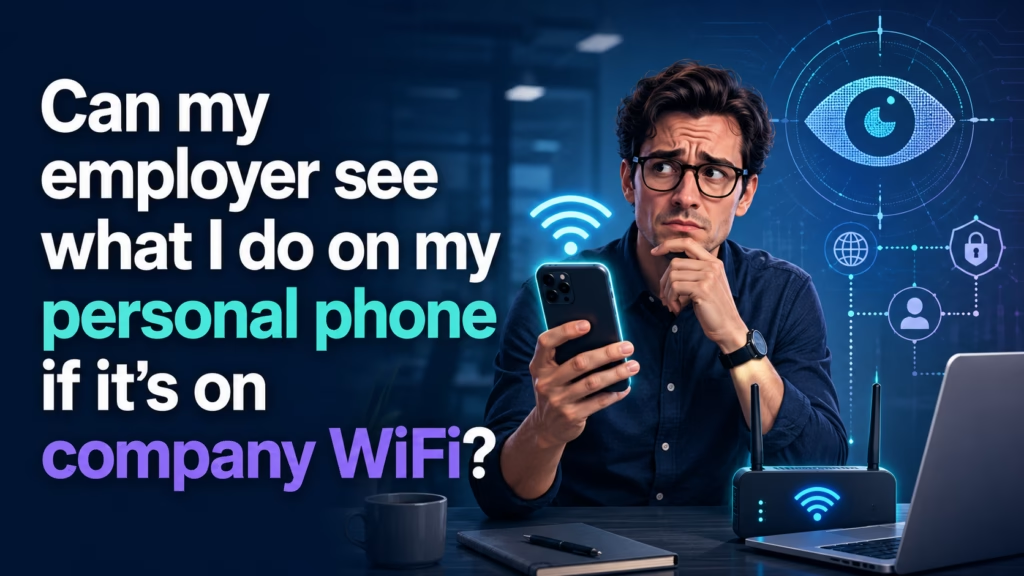
On company WiFi, your employer can typically see which sites and services your phone connected to, when, for how long, and how much data moved. They cannot see the contents — your messages, your passwords, the specific pages or videos — because that traffic is encrypted. That line moves in exactly one situation: if your employer has installed software on your phone (an MDM profile or work profile). Personal phone, company WiFi, no company software installed = they see destinations, not contents.
When you join any WiFi network, every piece of internet traffic from your device travels through that network’s router before it reaches the wider internet. The person who controls the router — your employer’s IT department, in this case — can log what passes through it.
What they get from those logs is essentially an itemised phone bill for your internet use: a list of destinations and timestamps. What they do not get is the conversation.
The reason is encryption. Nearly every site and app now uses HTTPS, which scrambles the contents of your traffic between your device and the destination server. The router can see the envelope. It cannot open the letter.
The domain names you connected to. Even with HTTPS, the name of the site you are connecting to is usually visible to the network — through DNS lookups (your phone asking “where is instagram.com?”) and through the initial handshake of the encrypted connection. So: instagram.com, yes. indeed.com, yes. That job site you visited on your lunch break, yes.
Timing and volume. When you connected, how long you stayed, and how much data you used. A sustained multi-gigabyte transfer in the middle of the afternoon looks like video streaming even if nobody can see what you streamed.
That a device was present. Networks log connected devices. Modern iPhones and Android phones use randomised hardware addresses by default on new networks, which makes long-term tracking of a specific device harder — but if you logged into their WiFi with a named account, that link is already made.
On a personal phone with no company software installed, the network cannot read:
1. The contents of your messages. WhatsApp, Signal, and iMessage are end-to-end encrypted — even the messaging company can’t read those, let alone your employer’s router.
2. Your passwords. Login credentials are sent inside the encrypted connection.
3. Specific pages, posts, videos, or search terms. They may see you connected to reddit.com. They do not see which subreddit, which thread, or what you typed.
4. Anything inside an app, beyond which servers the app talked to.
This is the same technical boundary that applies to any network owner — covered in more detail in our guide on what a WiFi owner can see.
“So they know I went to a shopping site, but not what I bought.” — Correct. “That is still more than I would like.” Reasonable. “Can I simply lie and say it was work research?” You can say whatever you like, Nana, but the log has timestamps and I’ve seen how long you spend choosing a coat.
Everything above assumes your phone is genuinely personal, with nothing installed by your employer. If IT has put software on your device, the boundary moves dramatically.
Mobile Device Management (MDM) is software companies install to manage phones that access company systems. It is common in “bring your own device” programmes — often the price of getting work email on your personal phone. Depending on configuration, MDM can allow an employer to see installed apps, enforce passcode rules, remotely wipe the device, and in some configurations route your traffic through company servers, which removes the encryption protection described above.
An Android work profile creates a separate, company-controlled container on your phone. The good news is that the boundary is fairly clean: your employer administers the work profile and its apps, not your personal side. The bad news is that plenty of people don’t realise which side of the line an app is on.
A company-issued phone is not your phone. If your employer bought it, assume everything on it is visible to them and behave accordingly.
On iPhone: Settings → General → VPN & Device Management. If there is a configuration profile listed under a company name, your employer has installed something. Tap it to see what it controls.
On Android: Settings → Security & privacy → More security settings → Device admin apps. Also check whether you have a work profile — work apps appear with a small briefcase badge, and you’ll usually see a separate “Work” tab in your app drawer.
If both come back empty, your phone is genuinely personal and the network-level limits above are the full picture.
Use cellular data for personal things. This is the simplest, most complete answer. Your mobile carrier carries that traffic instead, and your employer’s network never touches it. If you’re worried about a specific search, just turn WiFi off for two minutes.
Use a VPN. A VPN encrypts your traffic before it reaches their router, so the network sees only that you connected to a VPN server. Two caveats: some corporate networks block VPN traffic, and doing this on a company-managed device may itself violate an acceptable-use policy.
Keep work and personal genuinely separate. The cleanest arrangement is personal things on your personal phone using cellular, work things on work systems. It removes the ambiguity entirely.
“The answer is ‘turn off the WiFi’? That’s it? That’s the great privacy technique?” — Sometimes the boring answer is the correct one. “I was expecting something with more ceremony.” I know you were.
On company WiFi with a genuinely personal phone, your employer can see which sites and services you connected to, when, and how much data you used — but not the contents, because HTTPS encrypts it. They cannot read your messages, passwords, or specific pages. That changes if your employer has installed an MDM profile or work profile on your phone, which can grant far broader visibility. Check iPhone under Settings → General → VPN & Device Management, or Android under Device admin apps. If you’d rather they saw nothing at all, switch to cellular data for personal browsing — it’s the simplest complete fix.

Hi. I’m Ken. I run Two Second Solutions, a one-man agency that somehow landed a fox spirit influencer as a client. I drink too much coffee, blog when I need to vent, and regularly update my résumé just in case she sets the office on fire again. I’m not crying — it’s just spell residue.

By Ken Hollow, the WiFi owner who wishes he couldn’t see Nana’s browsing history “Ken. Can you see what I’m doing on the WiFi?” I…
By Ken Hollow, who watched a fox spirit refuse to charge her phone in an airport for four hours and then complain the entire flight…

By Ken Hollow, the man whose email appeared in nine data breaches and has the trust issues to prove it Nana’s email was sending messages…