Why Does My Phone Get Hot? 6 Causes and How to Cool It Down
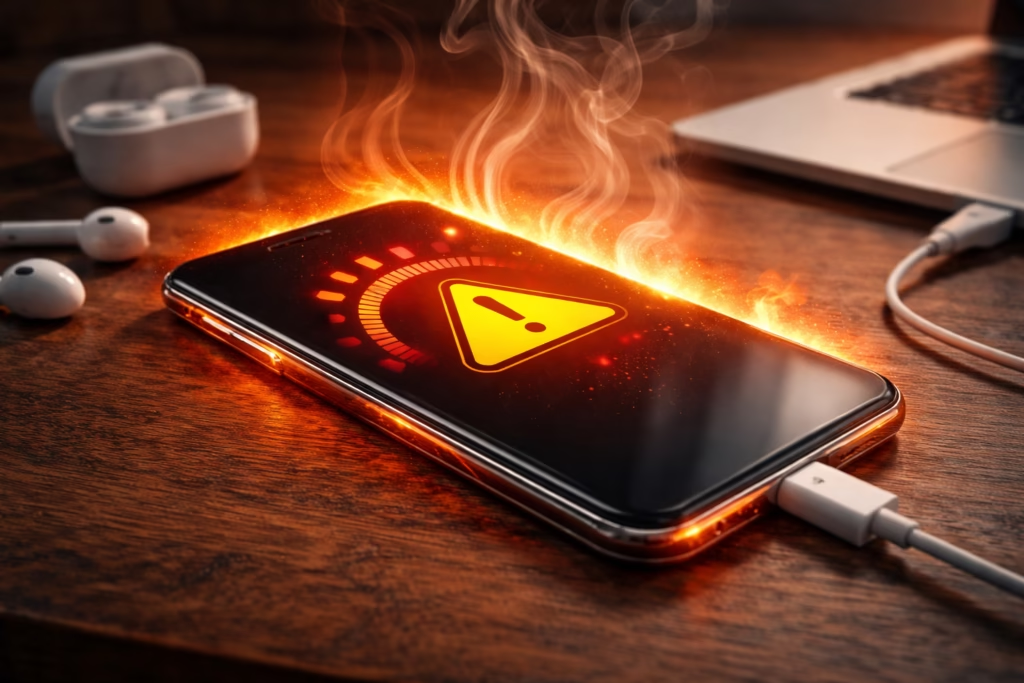
By Ken Hollow, unpaid thermal engineer for a fox spirit who treats her phone like a portable fireplace
Nana livestreams for four hours straight. No breaks. Phone propped against a velvet cushion, screen brightness maxed, ring light blazing, three chat apps open in the background. Then she hands me the phone and says, “Ken, it’s doing that thing again where it tries to burn my hand. I think it’s angry.”
It’s not angry. It’s overheating. Because she’s running it like a server farm inside a pillow fort.
If your phone regularly gets uncomfortably hot — not just warm, but hot — that’s not normal idle behavior, and it’s worth understanding why. A warm phone during a video call is fine. A phone that’s too hot to hold comfortably, or that displays a temperature warning and shuts down, is telling you something needs to change.
Here are the actual reasons it happens, and what to do about each one.
Phones get hot because their internal components — mainly the CPU, GPU, and battery — generate heat when they work hard. The most common causes are extended streaming or gaming, too many background apps, direct sunlight, charging with a bad cable, outdated software, or (on Android) malware. Most of these are easy to fix. A warm phone is normal. A hot phone that hurts to hold is not.
First: Warm vs. Hot — When Should You Actually Worry?
All phones produce heat. That’s just physics — electrons moving through circuits generate warmth. Your phone is a tiny computer without a fan, so it relies on spreading heat through its metal and glass body to cool itself down.
The safe operating range for most smartphones is between 0°C and 35°C (32°F to 95°F). During normal use — scrolling, texting, browsing — your phone’s surface temperature should hover around 30°C (86°F). During heavier tasks like gaming or video calls, it can climb into the low 40s°C (around 104°F), which will feel noticeably warm but isn’t dangerous.
You should start paying attention when your phone gets hot enough that it’s uncomfortable to hold, when the screen dims on its own, when charging pauses unexpectedly, or when you see an actual temperature warning. Those are signs the phone is throttling itself to prevent damage — and whatever’s causing the heat needs to be addressed.
1. You’re Pushing It Too Hard (Streaming, Gaming, Video Calls)
This is by far the most common reason. When you’re streaming HD video, playing a graphically demanding game, or on a long video call, your phone’s CPU and GPU are working at or near full capacity. That processing power generates heat. A lot of it.
Research has shown that demanding apps like video chat can raise a phone’s surface temperature to over 50°C (122°F) in as little as ten minutes. That’s hot enough to be uncomfortable and, if sustained, can degrade your battery’s long-term health.
The fix: If you’re gaming or streaming for extended periods, take breaks to let the phone cool. Lower the screen brightness — the display is one of the biggest power draws. For video streaming, dropping from 1080p to 720p cuts the processing load significantly without a huge visual difference on a phone-sized screen. And if you’re on a video call that’s running hot, switch from cellular to WiFi if you can — your phone works harder to maintain a cellular connection, which adds heat.
“Ken says I should ‘take breaks’ from livestreaming. My viewers didn’t subscribe for breaks, Ken. They subscribed for enchantment.”
2. Background Apps Are Working Overtime
When you swipe an app away, it doesn’t always stop running. Many apps continue refreshing feeds, syncing data, checking your location, or downloading updates in the background. Individually each one is small, but stack a dozen or more and your processor is juggling tasks you didn’t even ask it to do — all while generating heat.
Social media apps are particularly bad for this. They constantly refresh content, pull notifications, and track location data even when you’re not looking at them.
The fix on iPhone: Go to Settings → General → Background App Refresh and toggle it off for apps that don’t need constant updates. You’ll be surprised how many are set to refresh by default.
The fix on Android: Go to Settings → Apps → select the app → Battery, and set it to “Restricted” for anything non-essential. This prevents the app from running background processes unless you actively open it.
Also check your battery usage screen (Settings → Battery on both platforms). If an app you barely use is near the top of the list, something’s wrong with it — either update it or delete it.
3. Direct Sunlight and Hot Environments
This is the most straightforward cause and the easiest to overlook. Your phone absorbs heat from its environment just like any dark-colored object. Leave it on a sunny windowsill, a car dashboard, a beach towel, or under a ring light for an extended period, and it will heat up fast — regardless of whether you’re even using it.
The phone’s internal components were already generating some heat. Add external heat on top and you’re pushing it past the safe operating range. When this happens, your phone will typically display a temperature warning and lock you out until it cools down. On iPhones, you’ll see a thermometer icon on a black screen. On Android, you’ll get a notification.
The fix: Keep your phone in the shade when you’re outdoors. Never leave it in a parked car — interior temperatures can exceed 60°C (140°F) on a hot day. If your phone does overheat from sun exposure, move it to a cool shaded area and let it rest. Do NOT put it in a fridge or freezer — the rapid temperature change can cause condensation inside the phone and damage the internal components.
“My phone overheated under the ring light. Ken said, ‘Move the phone.’ I said, ‘Move the sun.’ We compromised. I got a phone stand with shade.”
4. Charging Issues (Bad Cable, Wireless Charging, or Using While Charging)
Charging generates heat by nature — you’re pushing electrical current into a lithium-ion battery. Some warmth is completely normal. But if your phone gets hot while charging, rather than just warm, something might be off.
Common culprits include cheap or damaged third-party charging cables that don’t regulate power properly, a worn-out or debris-clogged charging port, or using your phone heavily while it’s charging (this forces the battery to discharge and charge simultaneously, which generates significant extra heat).
Wireless charging is also inherently less efficient than wired charging — more energy is lost as heat during the transfer. If you wireless charge while also using the phone, the heat stacks up quickly.
The fix: Use the manufacturer’s original charger or a reputable certified alternative. If your phone consistently overheats during charging, try a different cable first — they wear out and degrade over time. Avoid using your phone heavily while it charges. If you charge on a soft surface like a bed or couch, switch to a hard surface — soft materials trap heat against the phone.
And check your charging port for lint or debris. A toothpick (gently) or a can of compressed air can clear it out. A partially blocked port can cause poor connections and excess heat.
5. Outdated Software
Older versions of your operating system and apps can contain bugs that cause inefficient processing — apps using more CPU cycles than they should, memory leaks that force your phone to work harder, and unpatched issues that generate unnecessary heat.
Software updates aren’t just about new features. They include performance optimizations and bug fixes that directly affect how efficiently your phone runs. A phone running an OS version from two years ago is likely working harder than it needs to for basic tasks.
The fix: Keep your phone’s operating system updated. On iPhone, go to Settings → General → Software Update. On Android, go to Settings → System → Software Update. Do the same for your apps — enable automatic updates in your app store, or manually check for updates regularly. Note that right after a major OS update, your phone might run warmer than usual for a day or two as it re-indexes files and optimizes in the background. That’s normal and temporary.
6. Malware (Primarily Android)
If your phone is overheating for no obvious reason — you’re not gaming, not streaming, not in the sun, and you’ve checked background apps — malware could be the cause. Malicious software running hidden processes can hijack your phone’s CPU and battery resources, generating heat even when the phone appears idle.
Cryptojacking malware is a particularly common culprit — it uses your phone’s processing power to mine cryptocurrency in the background without your knowledge. It’s resource-intensive by design, and heat is the most visible symptom.
This is primarily an Android issue. iPhones are more locked down and don’t allow apps from outside the App Store, which significantly reduces (though doesn’t eliminate) malware risk.
The fix on Android: Install a reputable security app and run a scan. Check Settings → Apps for anything you don’t recognize or didn’t install. If you’ve recently sideloaded apps from outside the Google Play Store, those are the first suspects. As a last resort, a factory reset will clear any persistent malware — just back up your data first.
On iPhone: If you haven’t jailbroken your device, malware is extremely unlikely to be the cause. Focus on the other five causes first.
What NOT to Do When Your Phone Overheats
A few common “tips” that actually make things worse:
| ❌ Don’t Do This | ✅ Do This Instead |
|---|---|
| Put your phone in the fridge or freezer | Place it on a cool, hard surface in the shade and let it cool naturally |
| Keep using it while it’s overheating | Close all apps, lower brightness, and give it a few minutes to rest |
| Charge it while it’s already hot | Wait until it cools down before plugging it in |
| Blow on it or fan it aggressively | Remove the case (cases trap heat) and set it face-down on a cool surface |
| Ignore repeated temperature warnings | If it happens frequently, investigate the cause — could be a hardware issue worth getting checked |
Quick Cooldown Checklist
If your phone is hot right now and you need to cool it down, do these in order:
- Stop what you’re doing. Close the game, end the stream, hang up the video call — whatever’s driving the heat.
- Remove the case. Phone cases trap heat against the body. Take it off to let the phone breathe.
- Move it to a cool spot. Out of the sun, off the charger, onto a hard surface. Not into the fridge.
- Close background apps. Swipe them all away. On iPhone, swipe up from the bottom and close each app. On Android, tap the recent apps button and clear them.
- Turn on airplane mode. This disables cellular, WiFi, Bluetooth, and GPS — all of which generate heat. The phone will cool down faster with these off.
- Wait. Give it 5-10 minutes. If it cools down and works normally, you’re fine. If it keeps overheating with minimal use, something deeper is going on.
TL;DR
Your phone gets hot because its processor, GPU, and battery generate heat when they’re working hard. The most common causes are heavy use (streaming, gaming, video calls), too many background apps, direct sunlight, bad charging habits, outdated software, or malware. Most fixes are simple: take breaks, close background apps, keep it out of the sun, use a good charger, and keep everything updated. If it overheats frequently with light use, check for malware or take it to a service center — it could be a hardware issue.
“After all that, I now stream with the case off, brightness at 70%, and a tiny desk fan pointed at my phone. Ken calls it ‘thermal management.’ I call it ‘keeping my enchantment alive.’ Same thing.”

Hi. I’m Ken. I run Two Second Solutions, a one-man agency that somehow landed a fox spirit influencer as a client. I drink too much coffee, blog when I need to vent, and regularly update my résumé just in case she sets the office on fire again. I’m not crying — it’s just spell residue.